BusinessNext CRM Platform Redesign
CRM Platform Redesign
BusinessNext is an enterprise CRM platform built primarily for BFSI clients. The product handles complex workflows, high-volume data, and configurable modules across sales, service, and operations.
The challenge was to improve usability, consistency, and scalability while maintaining enterprise-level flexibility.
ROLE
PROBLEM
Users were overwhelmed by dense layouts and lacked the ability to personalize or prioritize key metrics.
RESULTS
Enterprise users value clarity and speed above everything
Reduction in average task time by 35% for key workflows
Consistent 4.7/5 user satisfaction score in post-launch feedback
Internal teams reported fewer support requests and improved onboarding for new hires
How was this impacting ?
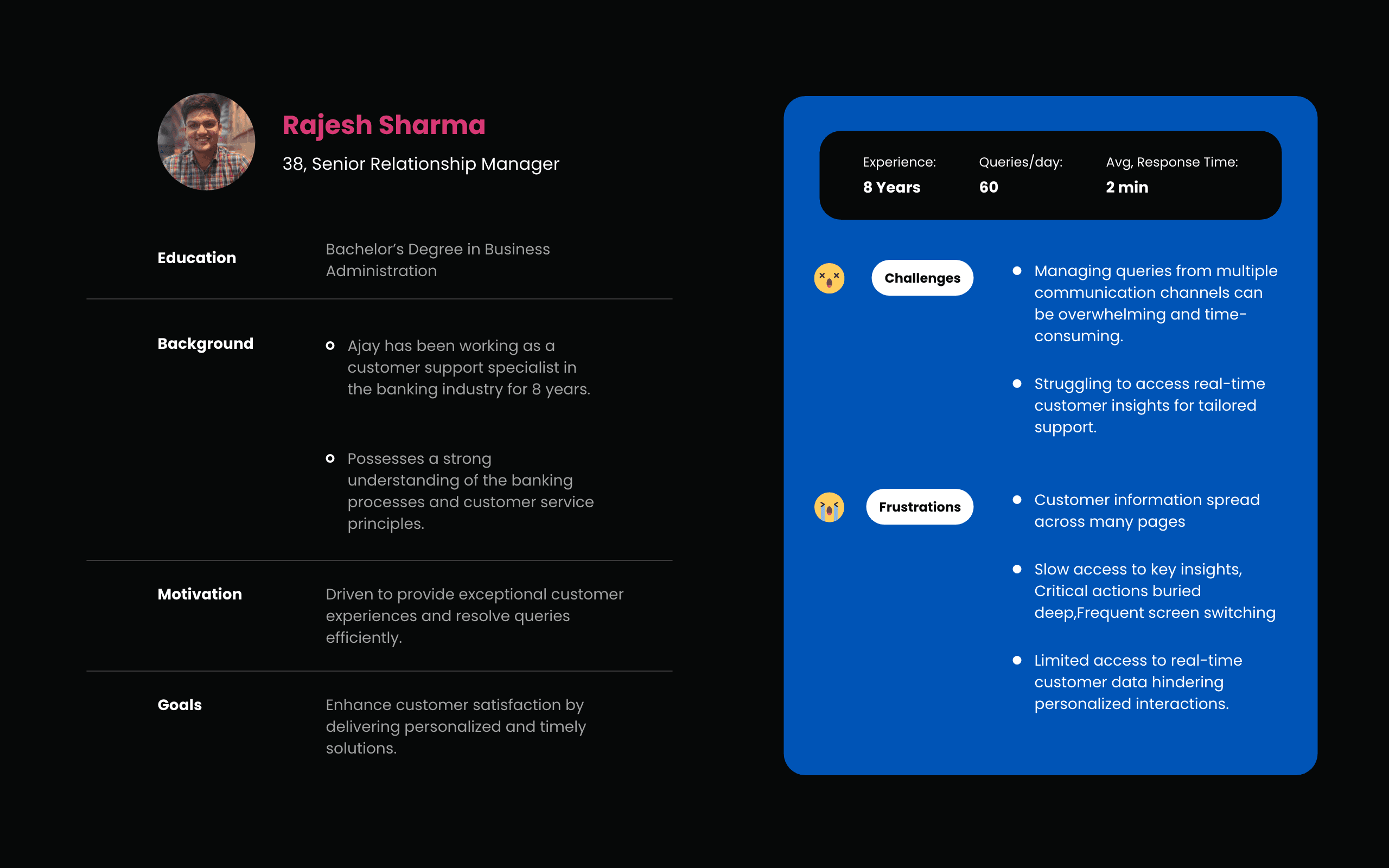
I dived deep into usage stats, support tickets, and user feedback to uncover how the old design was hurting users incl. developers. The data showed clear productivity and efficiency hits.
No Uniformity : CRM screens were feature-heavy and visually dense
4.6/10 Usability survey score
3Mil+ Enterprise users and no similarity in experience
56% support tickets related to users unable to analyse key insights/NBA’s
Redesigning with Intent
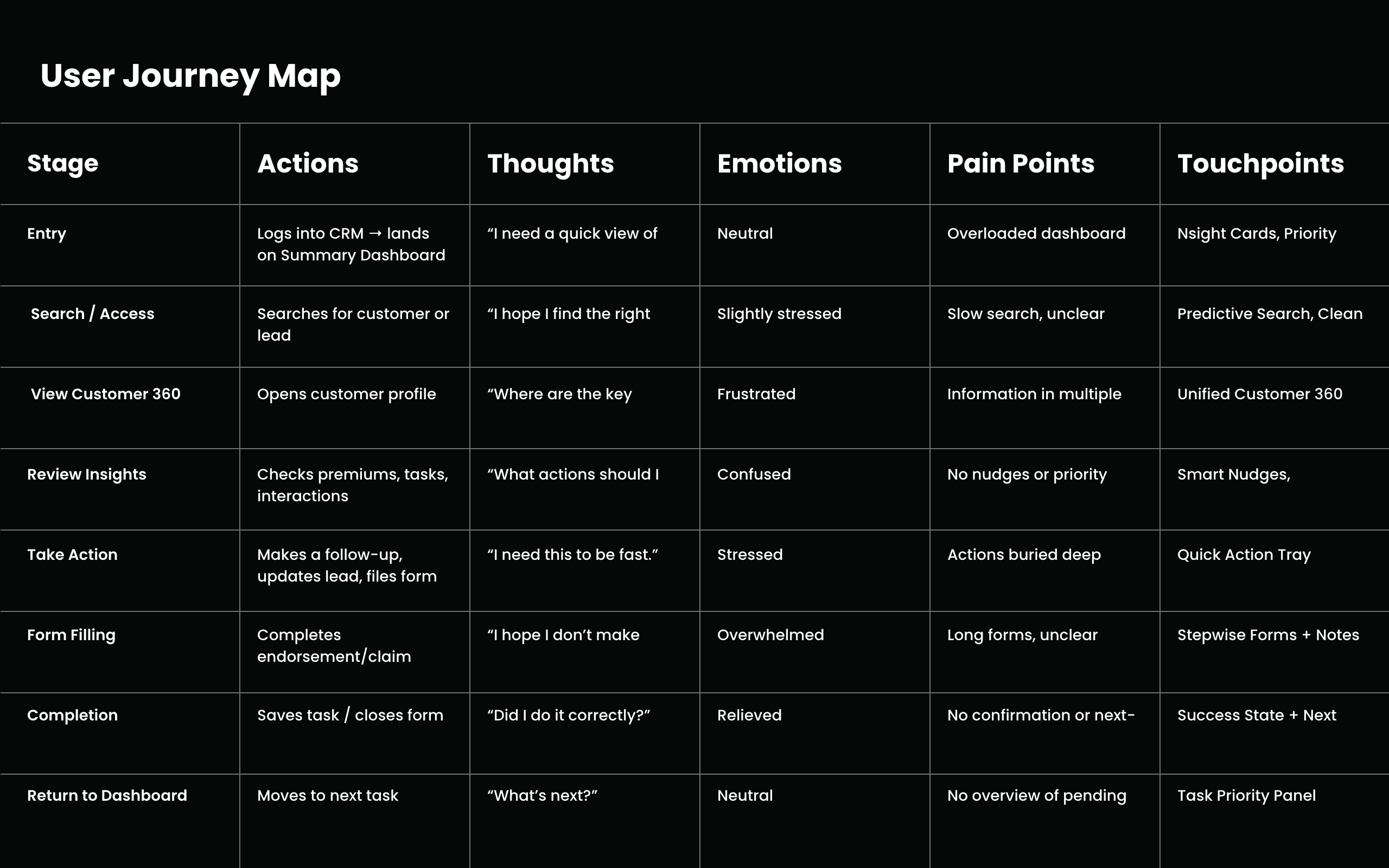
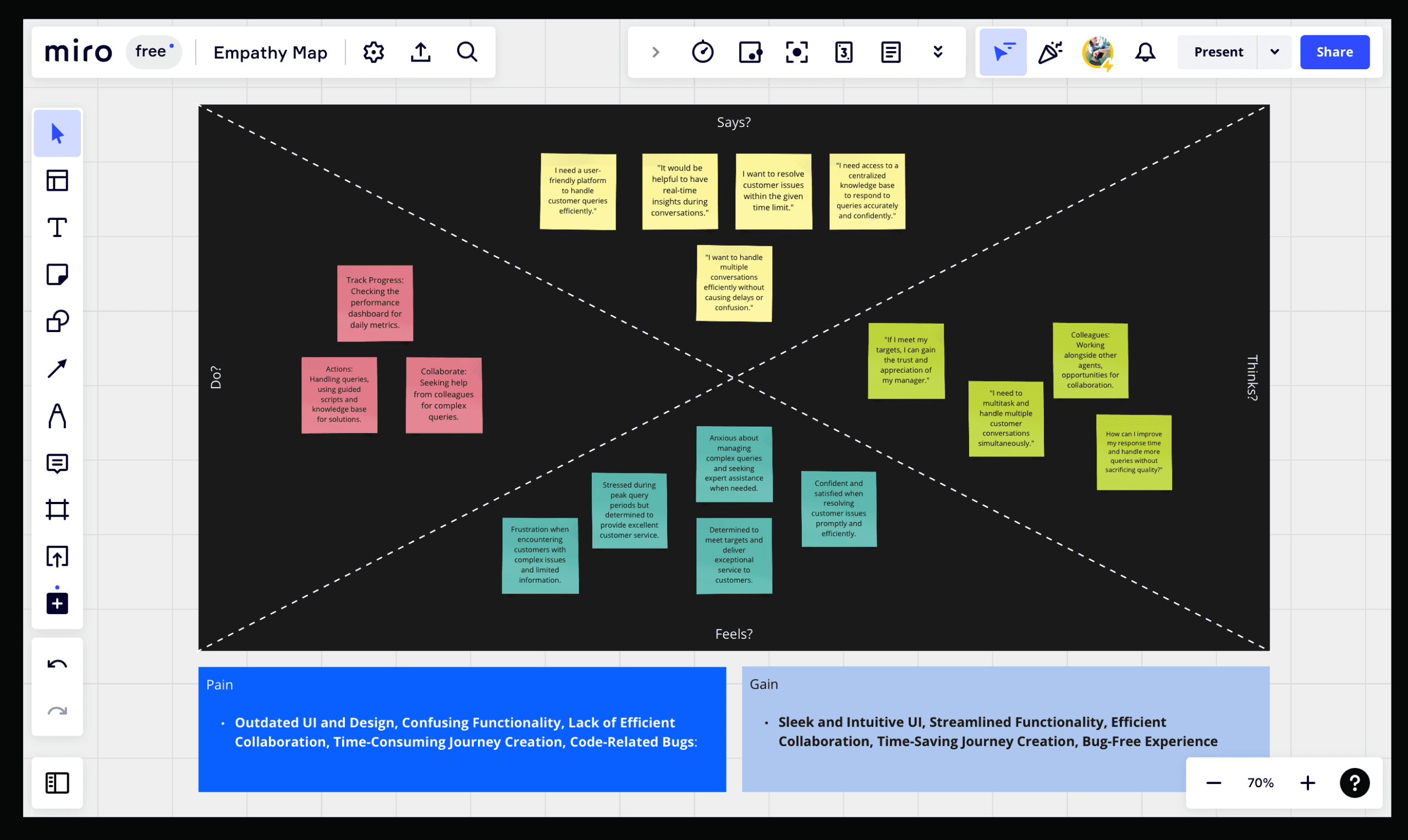
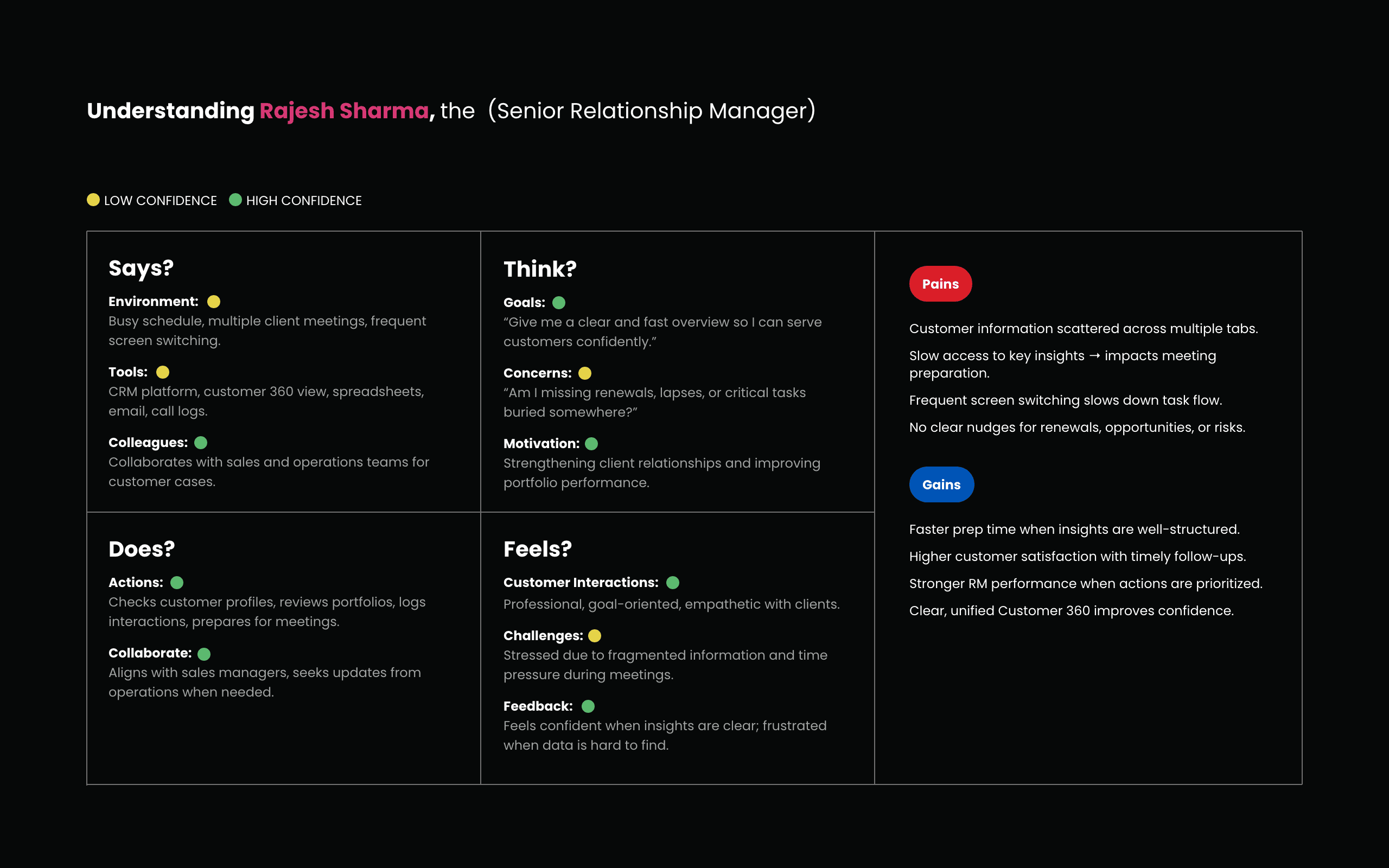
I began by mapping the most frequent workflows and identifying friction points at each step. Focused on removing barriers, eliminating unnecessary clicks, surfacing essential data, and streamlining how users moved through lead and pipeline views.
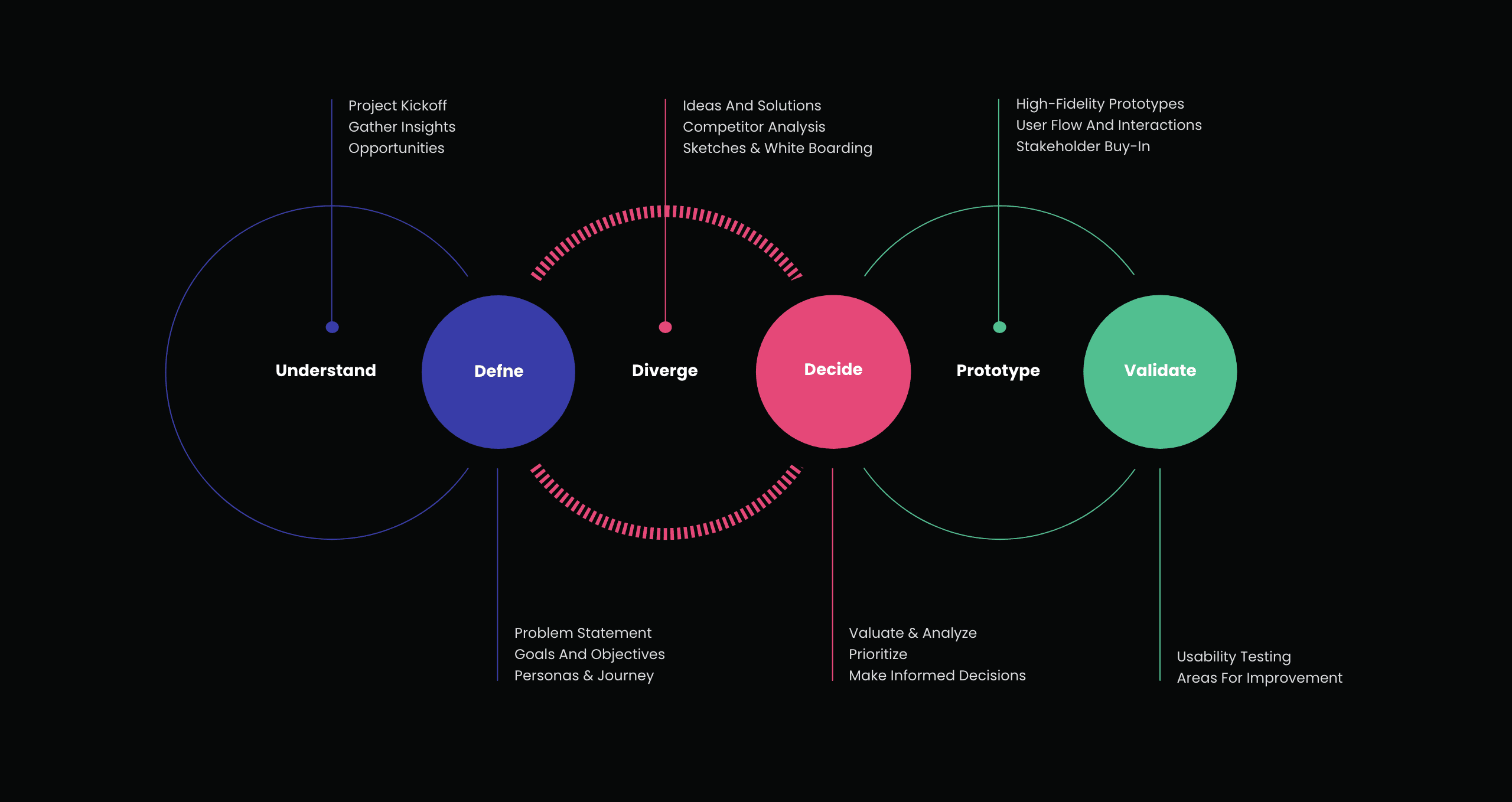
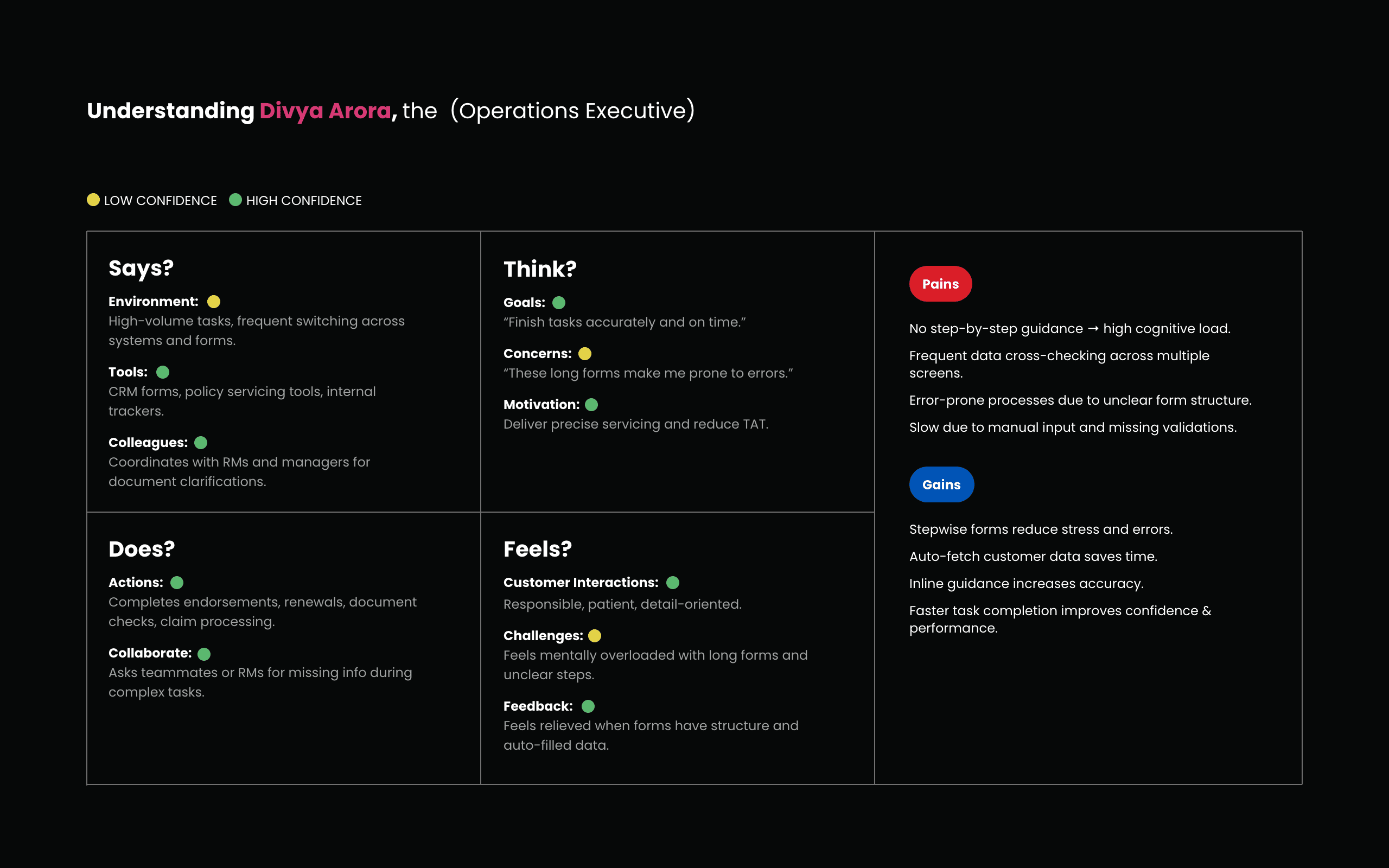
Design Process
Problem understanding, goal definition, diverse idea generation, informed decision-making, concept prototyping, and user validation through testing. I took Iterative approach for user-centered solutions, addressing challenges and aligning with business objectives.
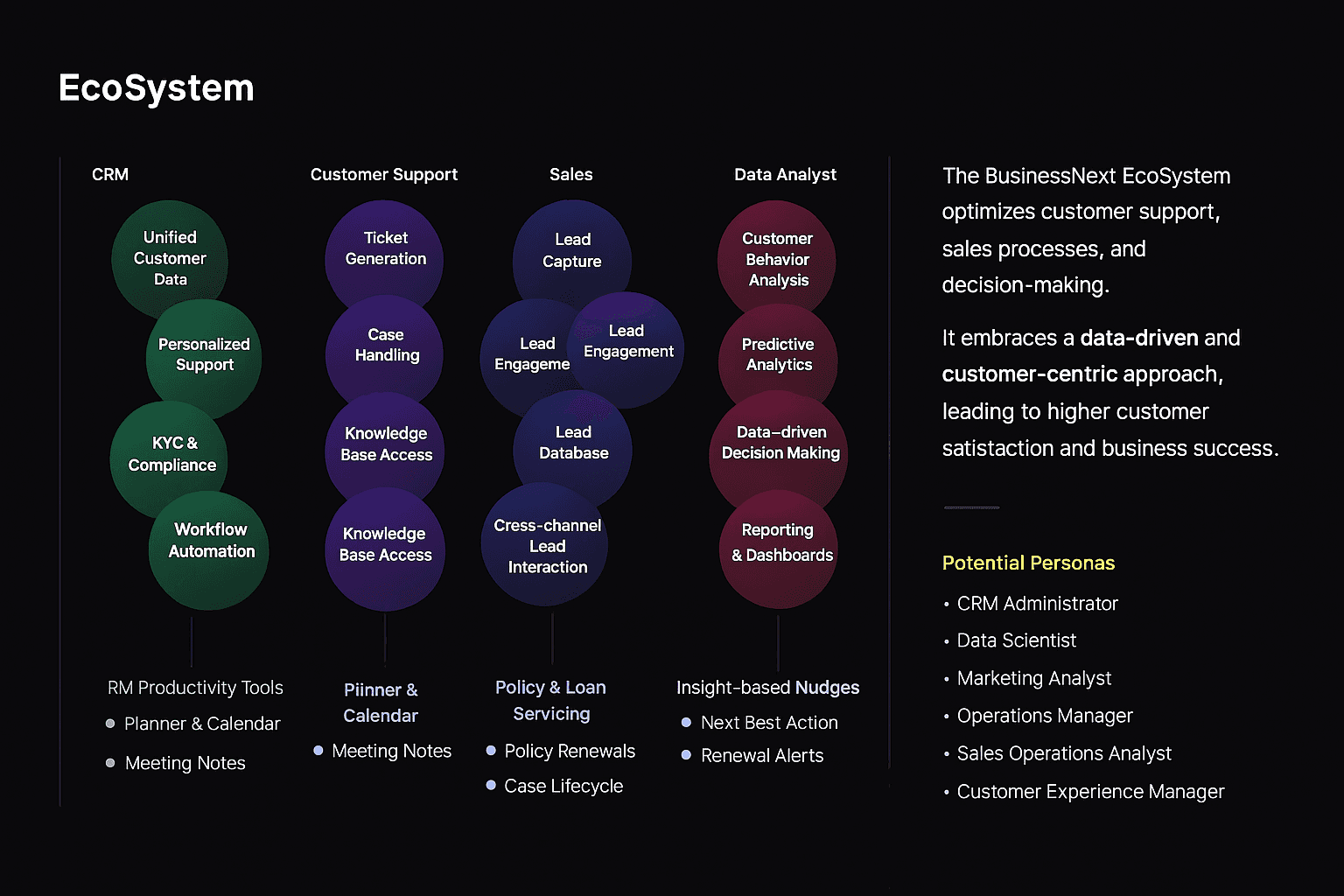
MVP-Based Deliveries
Foundation Layer
Summary Dashboards
List & Table Controls
Graphs & Layout System
360° Views
Setup & Configuration Pages
Toolbox Framework
ScreenFlow & AutoFlow
Sales Coach Module
Financial Controls
Cogent Meetings
Agentic Dashboards
AI Features
Key Design Solutions
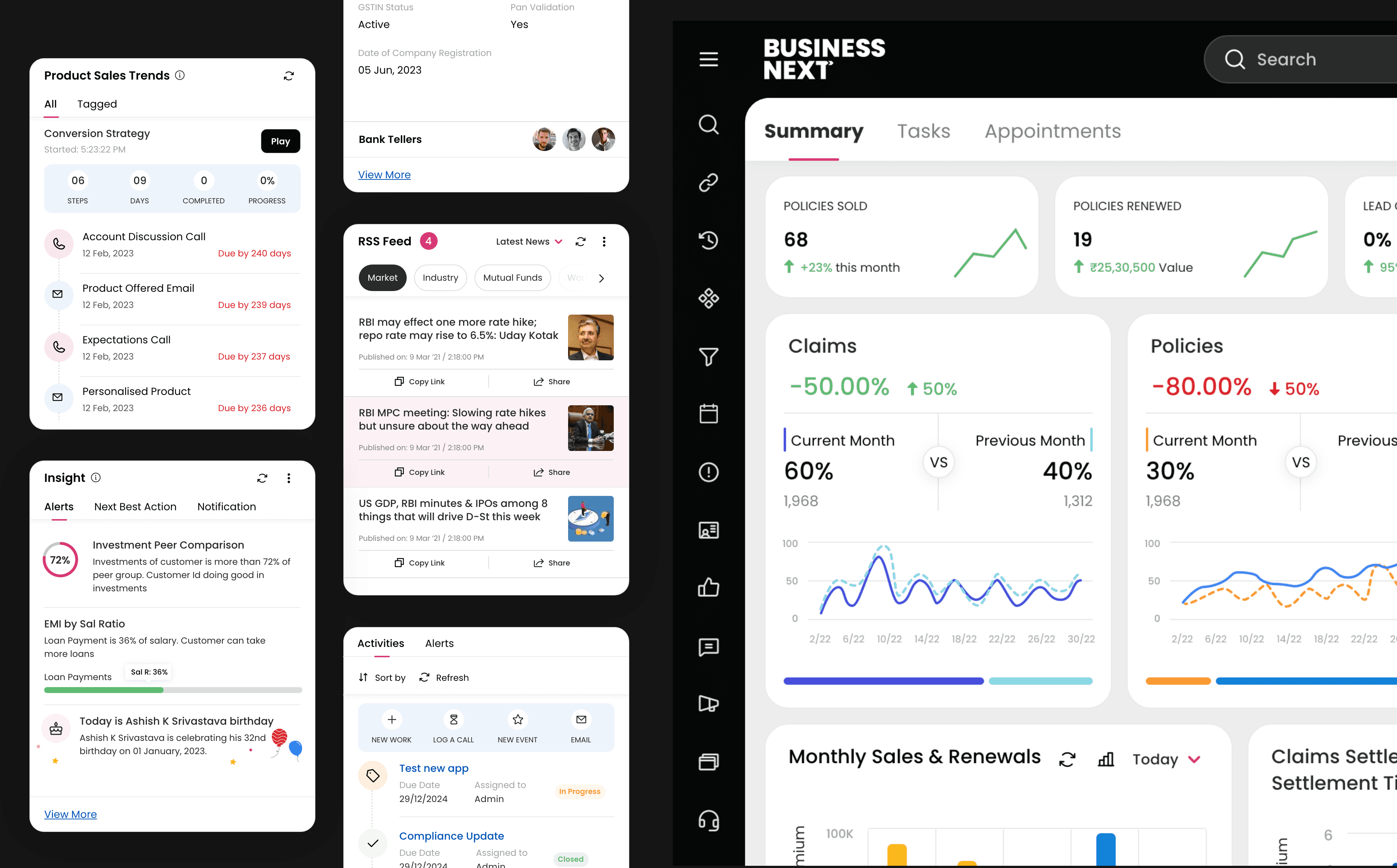
Summary Page — Clear & Insightful
Problems: Overloaded screens, low clarity, slow scanning
Solutions:
Card-based design
Grouped insights
Action visibility
Clear navigation patterns
Impact: Faster scanning and improved focus
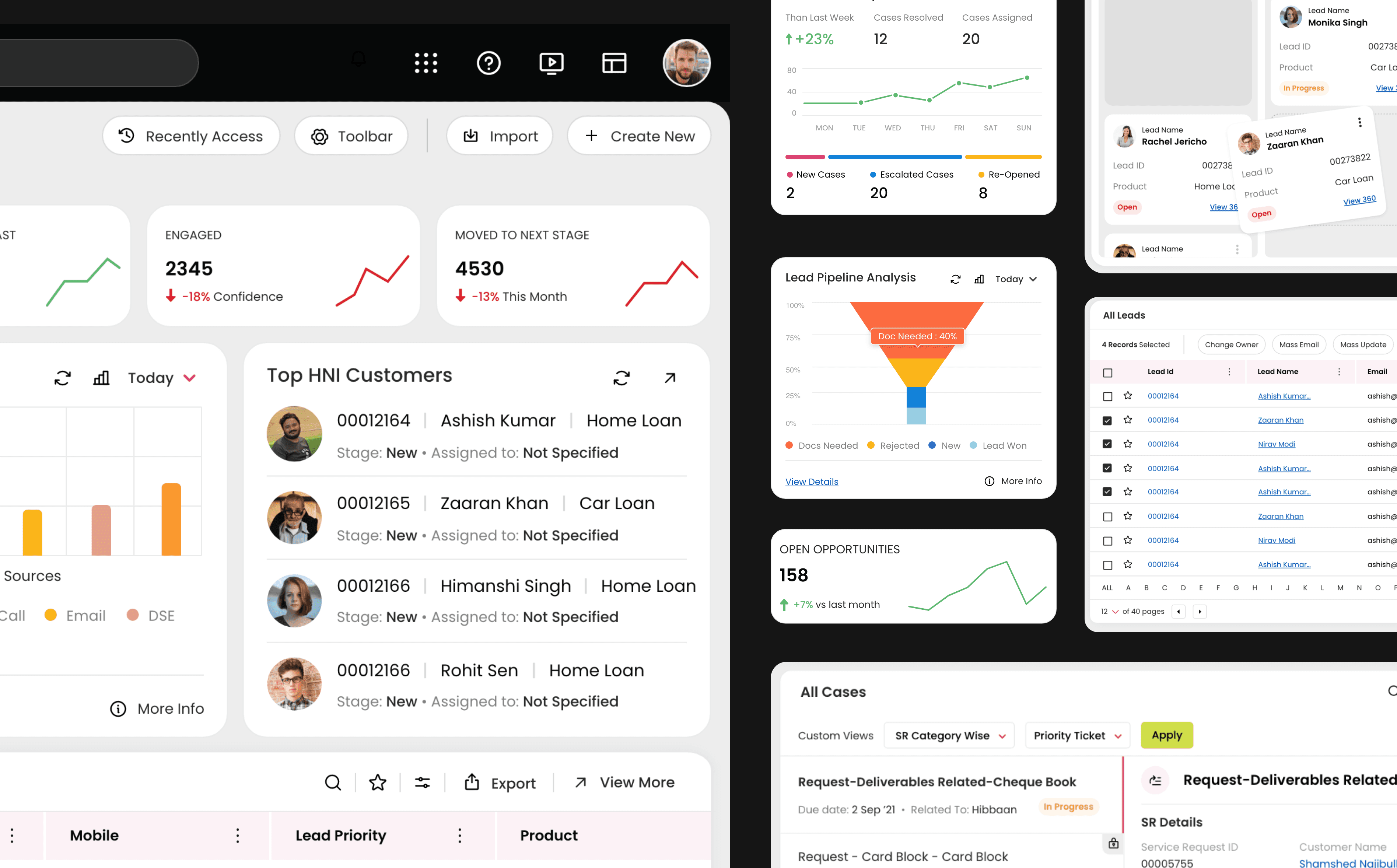
Object page — Personalized & Actionable
Problems: Hard to prioritize leads, customer, case, opportunity, policy etc, poor structure
Solutions:
Insight dashlets
Personalized modes
Kanban drag-and-drop view, list view, grid view, split view, drawer
Impact: Faster updates and better lead prioritization
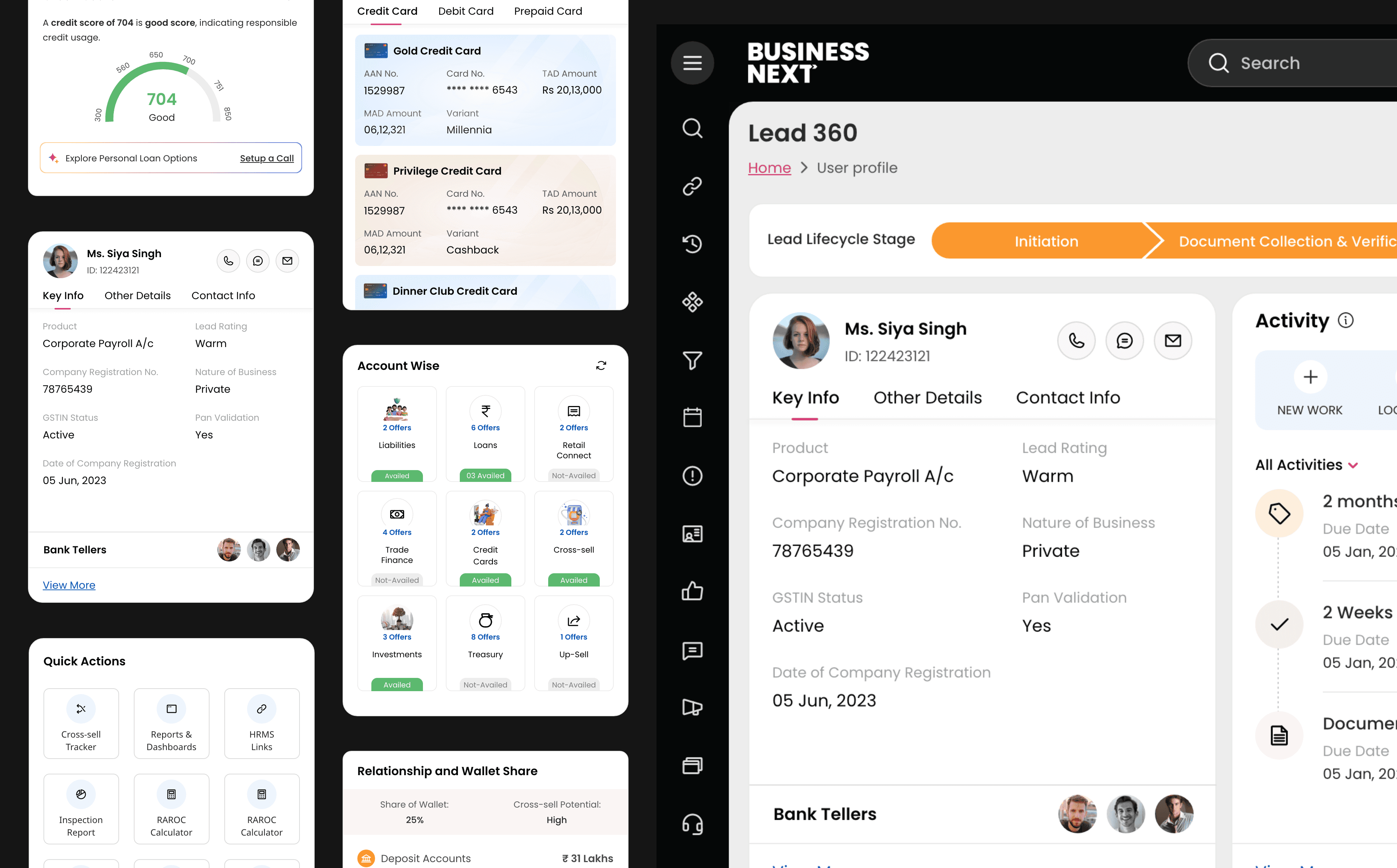
360 — Full Context for Decisions
Problems: Fragmented data, no holistic view
Solutions:
Unified quick + detailed views
Predictive insights
Customer timeline`
Impact: Improved RM confidence and faster decisions
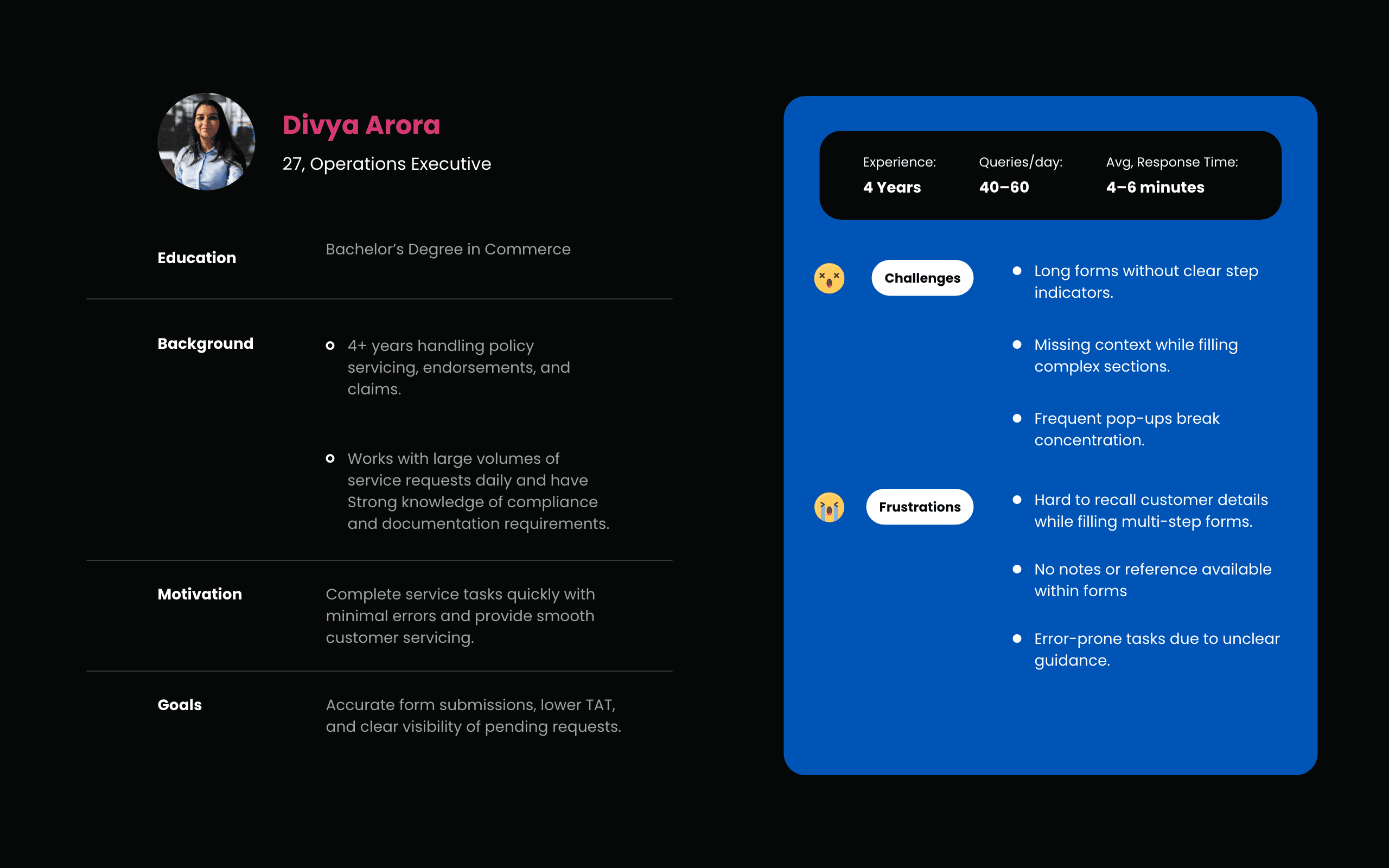
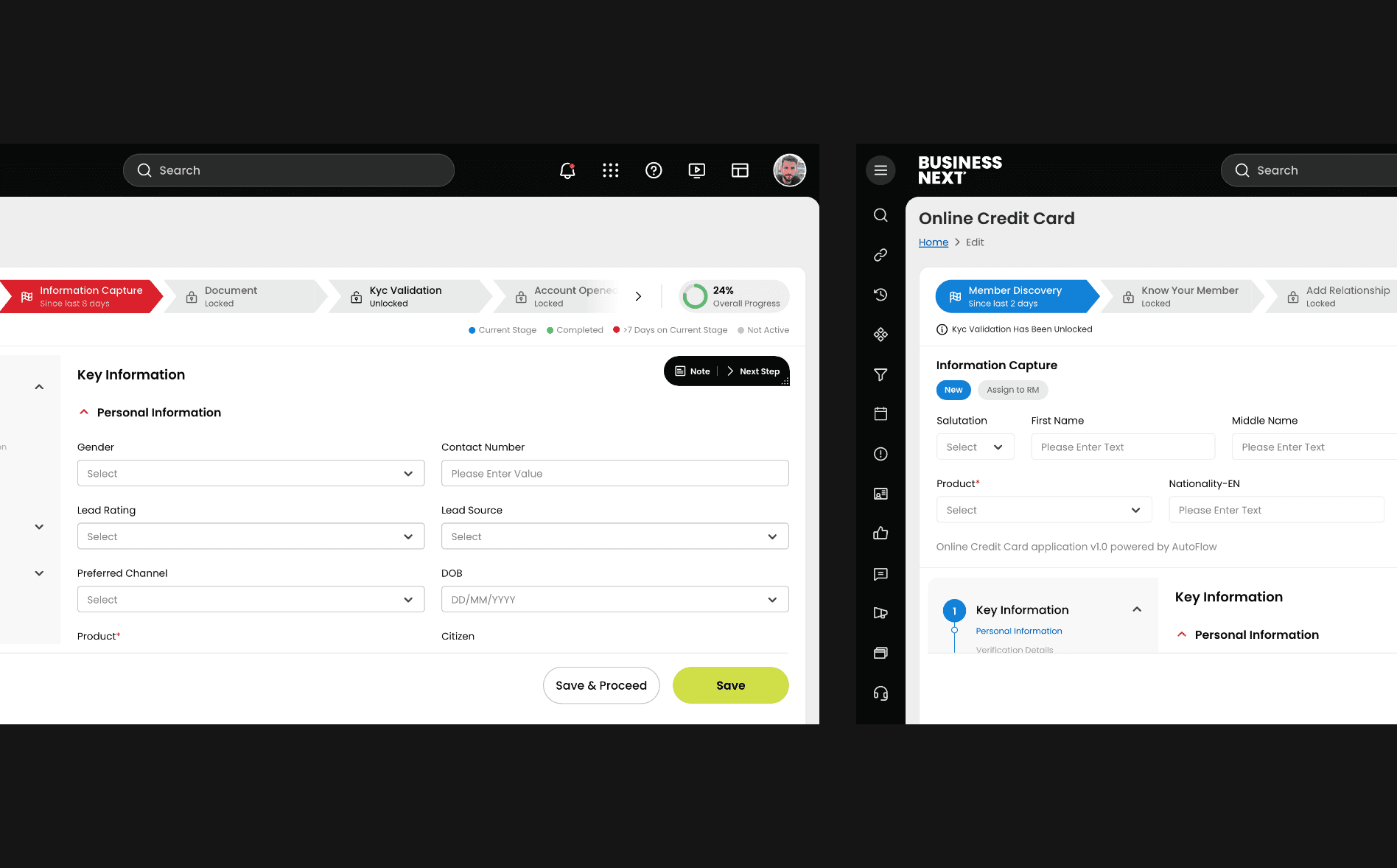
Form Filling — Guided & Structured
Problems: User fatigue, errors due to complexity
Solutions:
Progress bar
Step guidance
Notes for context
Step previews
Impact: Higher completion accuracy and speed
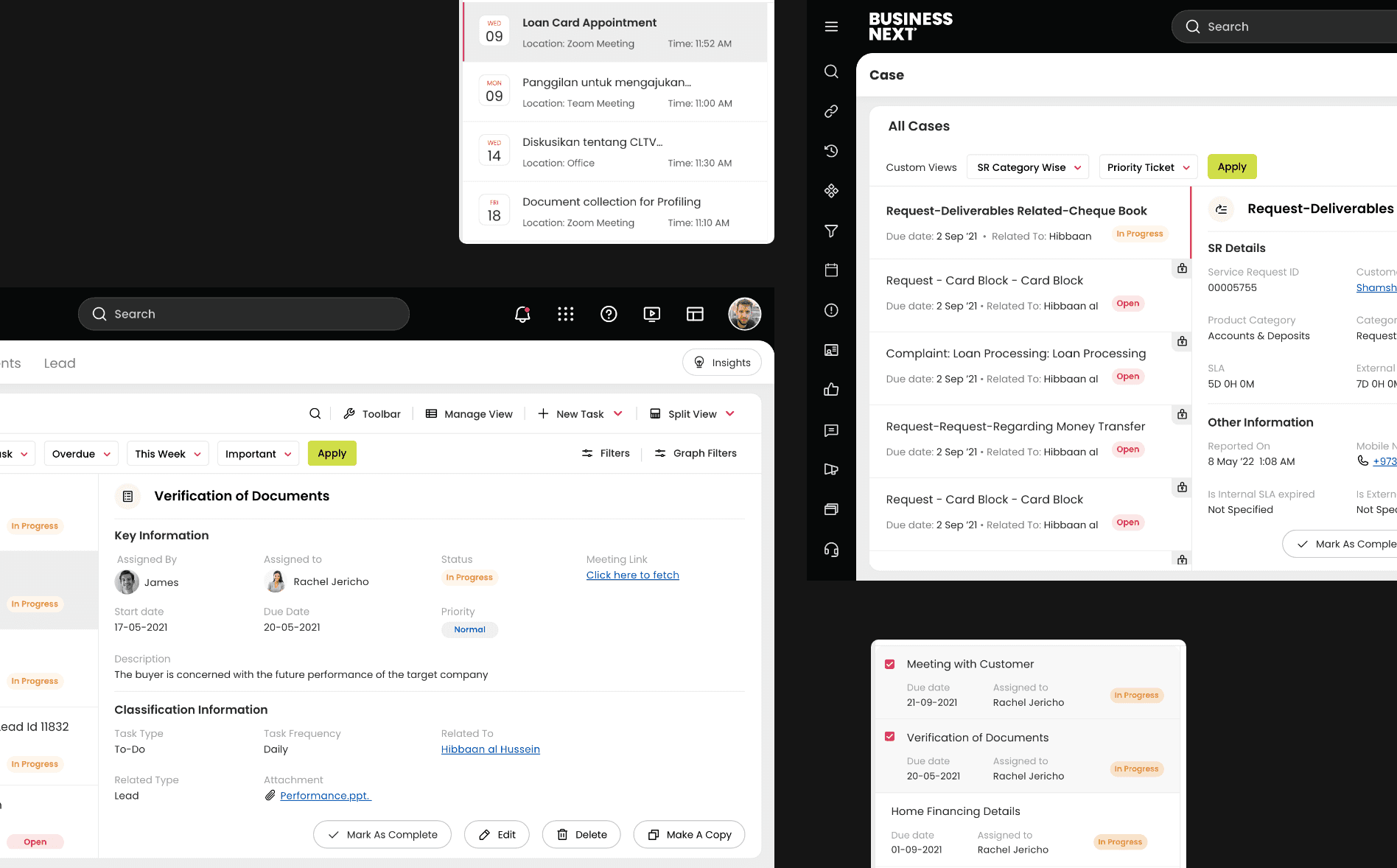
Split View — Smooth Multitasking
Problems: Constant switching, breaks in flow
Solution: Dual-pane layouts
Impact: Reduced clicks and smoother task handling
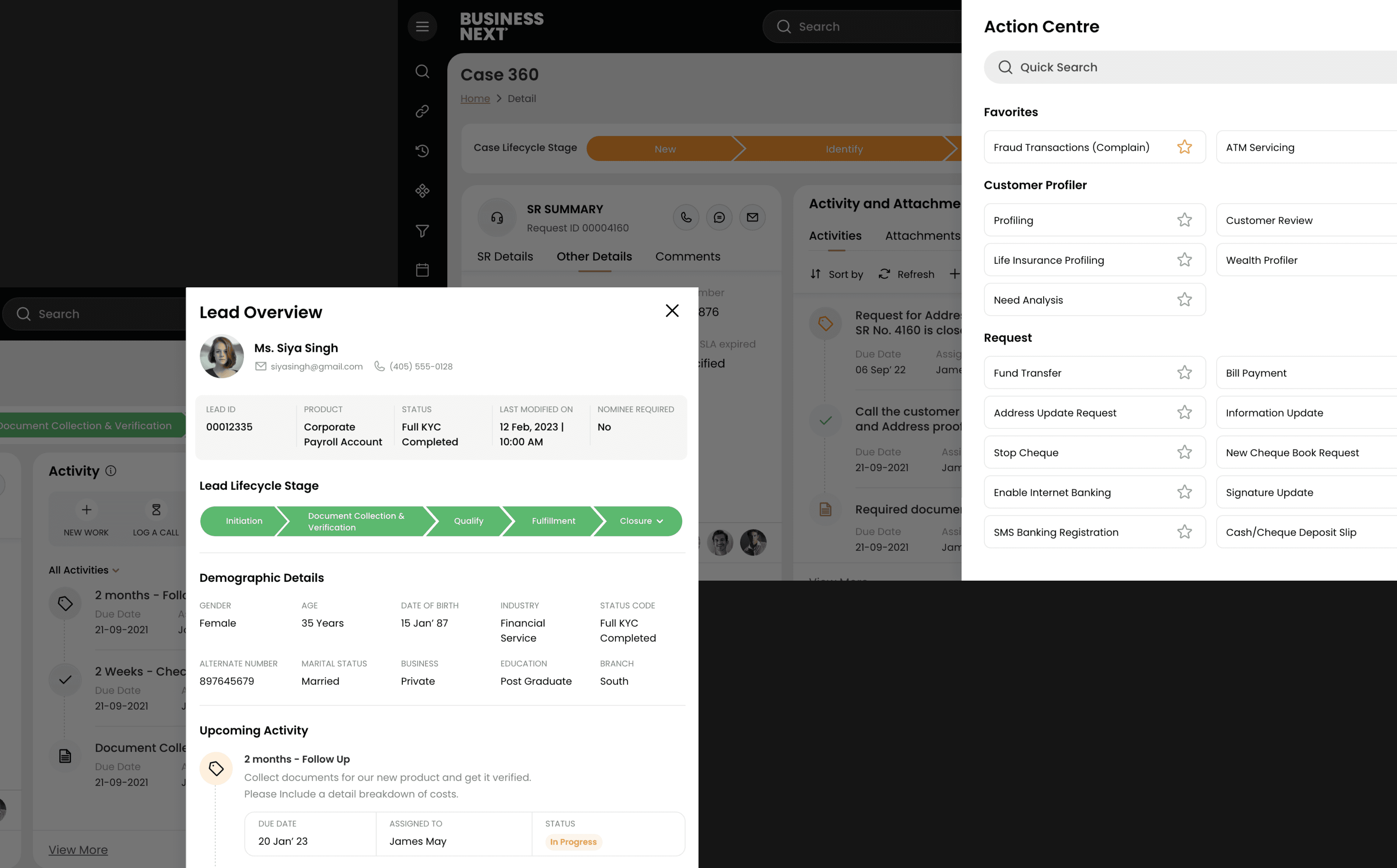
Drawer — Continuous Workflow
Problems: Pop-ups breaking user flow
Solution: Side drawer for contextual details
Impact: Clean, uninterrupted screen experience
Launch Strategy
The CRM redesign was rolled out in phased releases to reduce risk and ensure operational continuity for relationship managers.
Started with high-impact workflows (Summary Dashboard, Lead Creation, Customer 360, Task Management, Appointmnet)
Conducted internal UAT sessions with QA & dev team
AB testing for modules
Gathered structured feedback through walkthrough sessions and usage analytics
Iterated quickly before full-scale rollout
Post redesign
Reduced task completion time
Improved form accuracy
Decreased user errors
Increased feature adoption
Positive clients feedback
We also reduced the design-engineering gap significantly
Impact & Results
Efficiency Gains
Reduced time to create a lead through progressive disclosure
Reduced excessive scrolling and navigation steps
Fewer clicks through grouped data
Reduced Iterations
80% reduction in post-development rework due to early stakeholder alignment and prototype validation
Improved Data Accuracy
Structured form grouping improved required field completion
Fewer manual corrections by operations teams
Feature Absorption
Higher daily usage of CRM workflows
Reduced fallback to manual tracking methods
Positive RM feedback on clarity and usability
System Scalability
Introduced reusable workflow patterns and modular components
Improved design system maturity for future modules
Key Learnings
Enterprise products require balance between flexibility and simplicity
Early engineering collaboration reduces rework
Clear data hierarchy is critical in CRM systems
Consistency builds confidence in enterprise tools
Next Step
Creation of Swift 2.0 — a refined and more structured version of critical modules.